New — Skrptiq drives your real apps
AI That Works the Way You Would.
Build workflows where each step is a different specialist — one drafts, another reviews, another matches your voice. Now they act in your real, logged-in apps too, and only ever do what you approve.
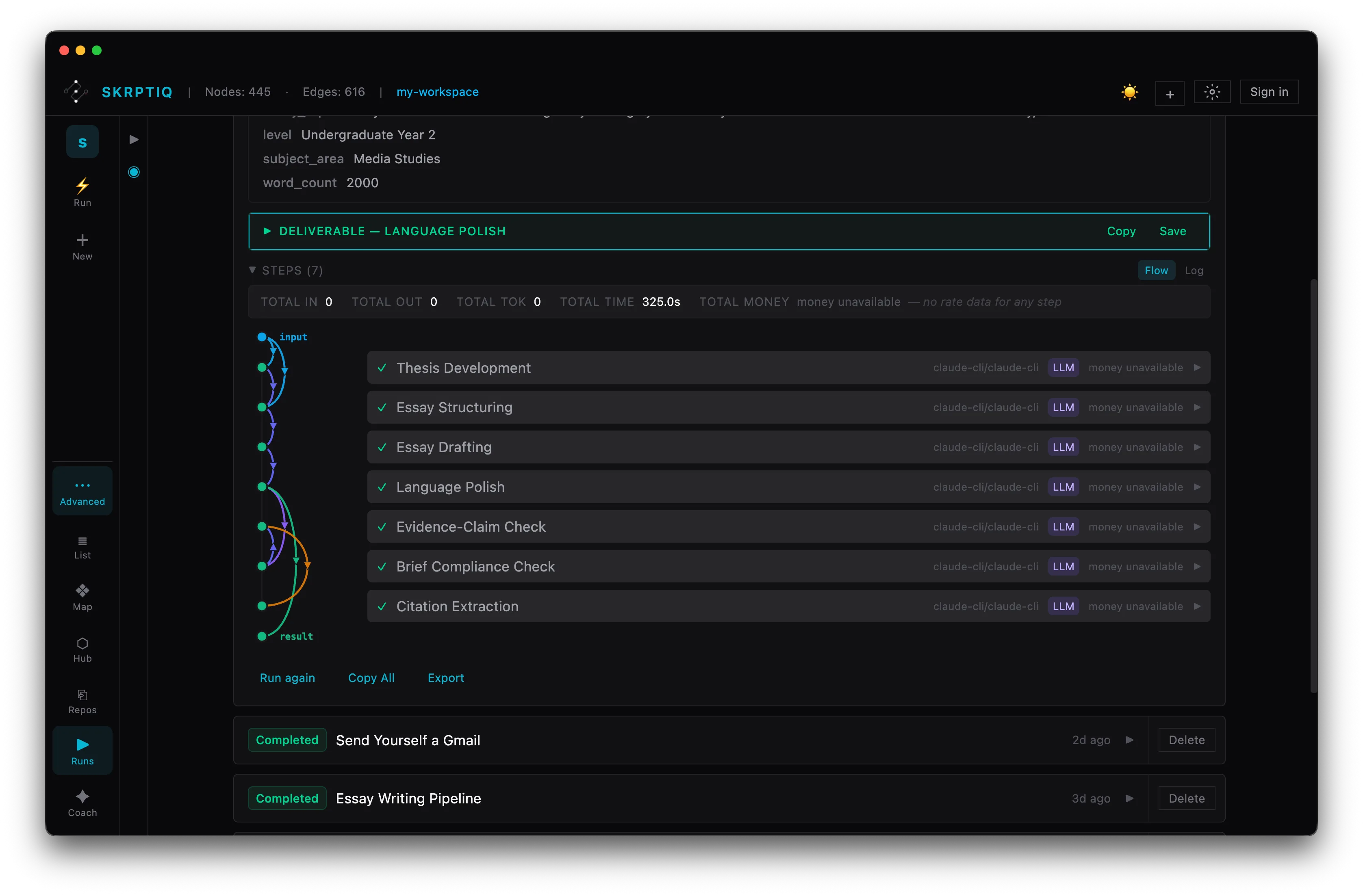
The flagship — Connector
It runs your real apps — and only when you say so.
Skrptiq drives your real, logged-in apps — starting with your browser and Gmail. It shows you every action before it runs and does exactly what you approve. Nothing happens behind your back.
- 01Works in your real accountsYour live Gmail, your live tabs. No API keys to wire, no copies of your data handed over.
- 02Every action is shown and gatedA run lays out its steps up front and pauses at an approval break before it acts.
- 03It sends exactly what you approvedNo drift. If the page or task isn't what you approved, it refuses rather than guessing.
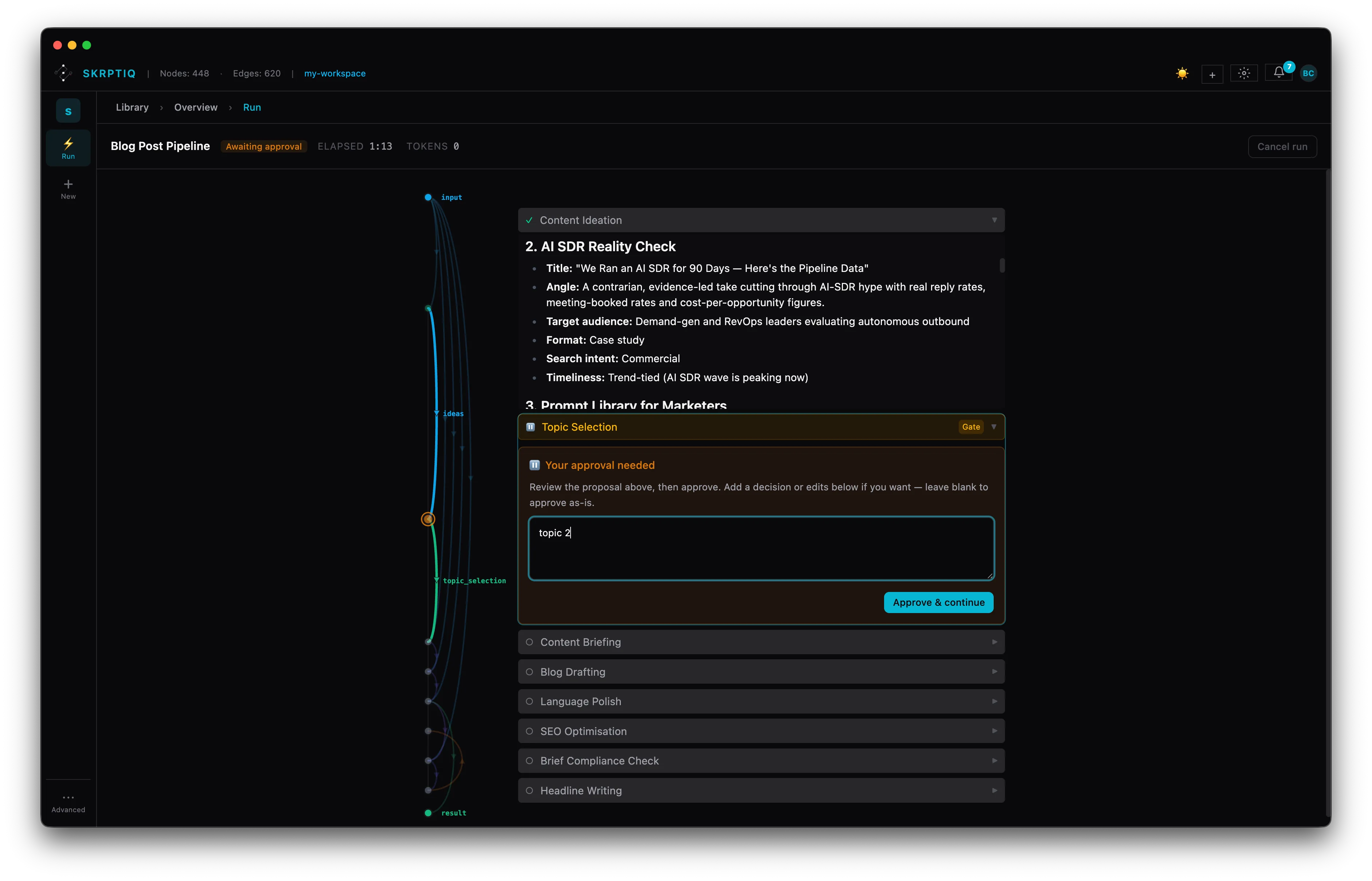
How it works — one run
One blog post. A full quality process.
A real pipeline from the hub — not a mockup. Specialist steps take turns, pause at an approval break, and score the work before it ships.
↓ Walk the run — 5 steps
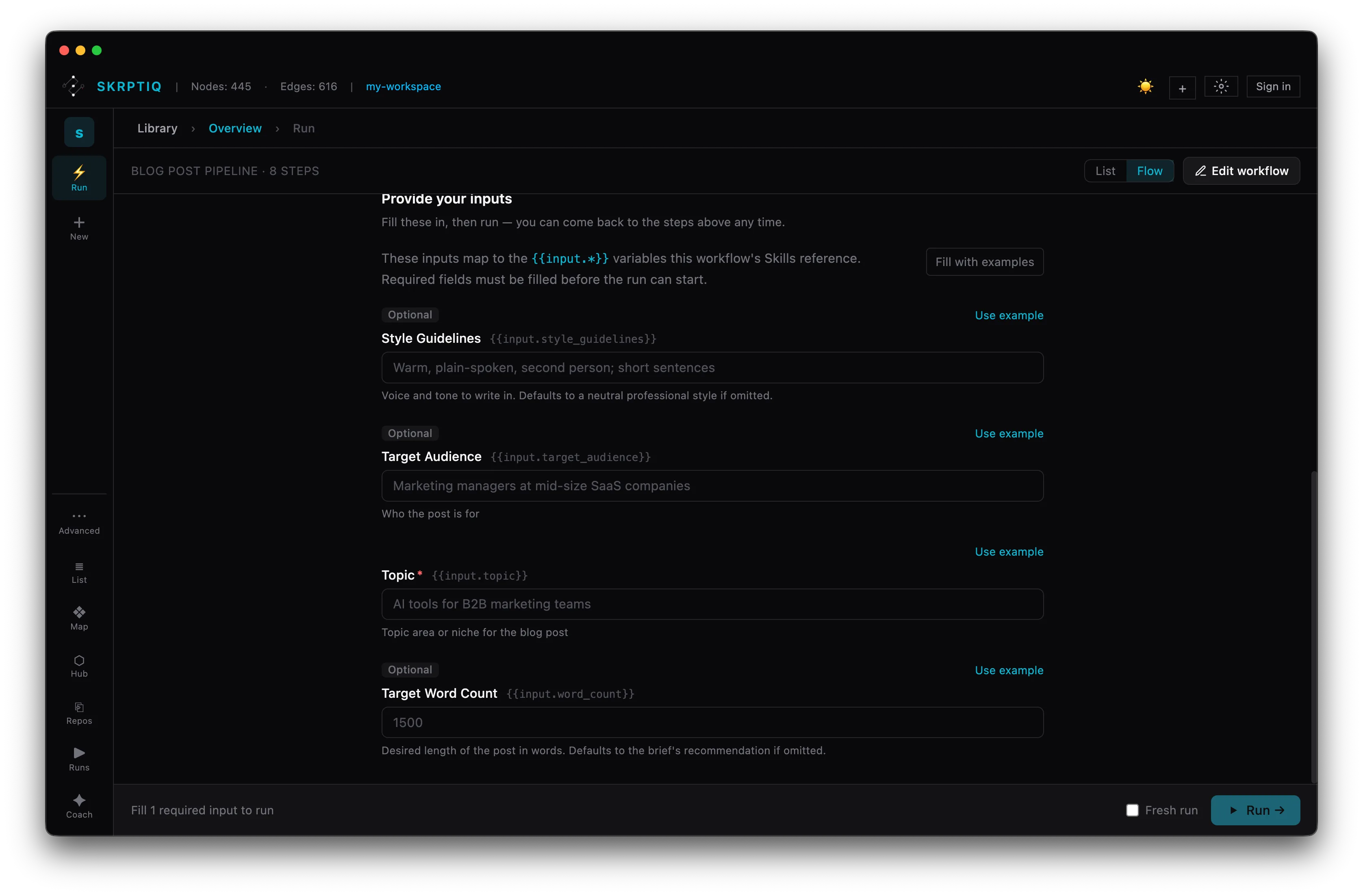
Step 1 — Start
Set up the run.
Fill in a few typed inputs — topic, audience, voice, word count — and they map straight to the variables each step uses. Optional fields default sensibly; required ones gate the run until they're set.
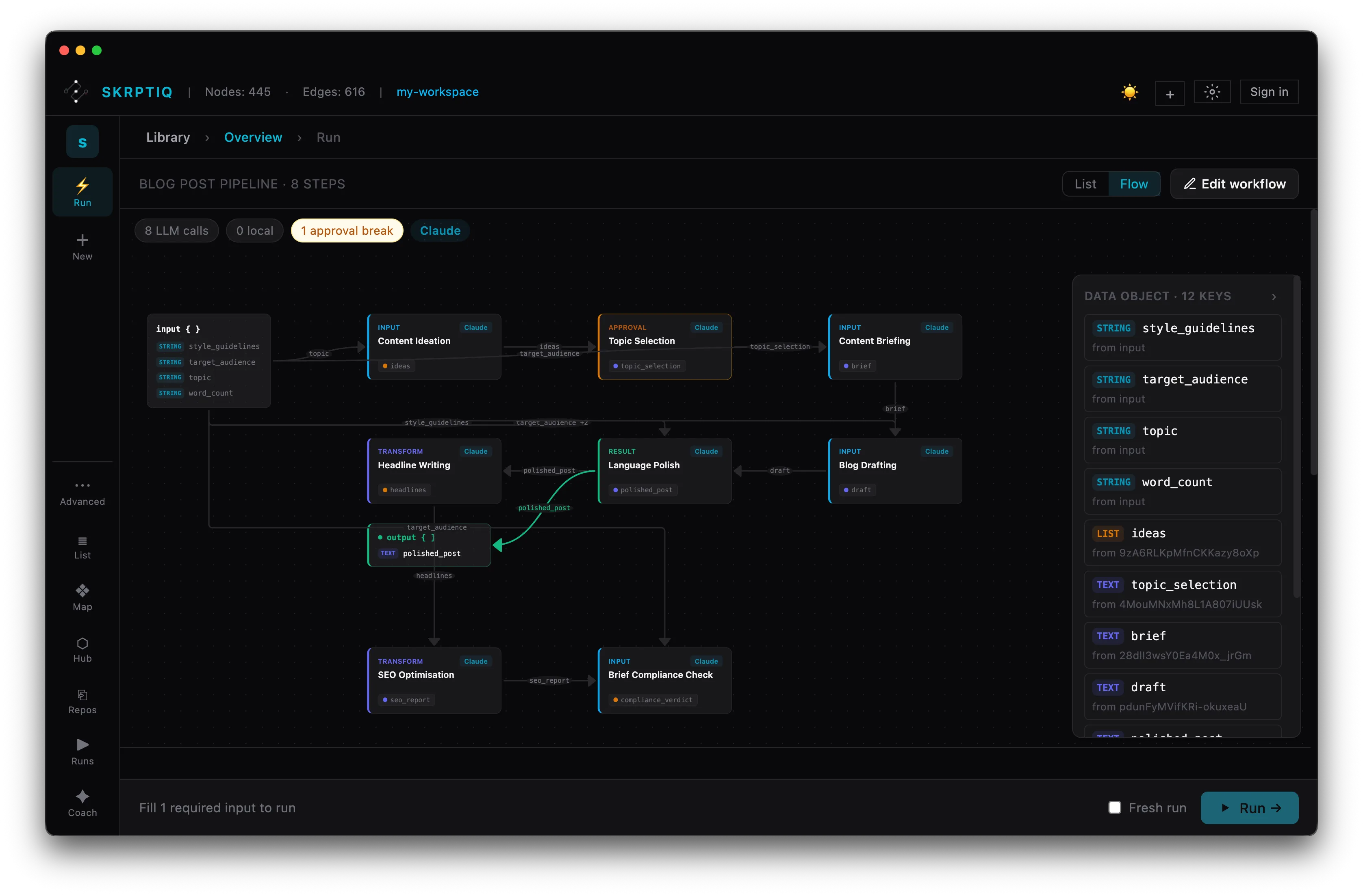
Step 2 — Structure
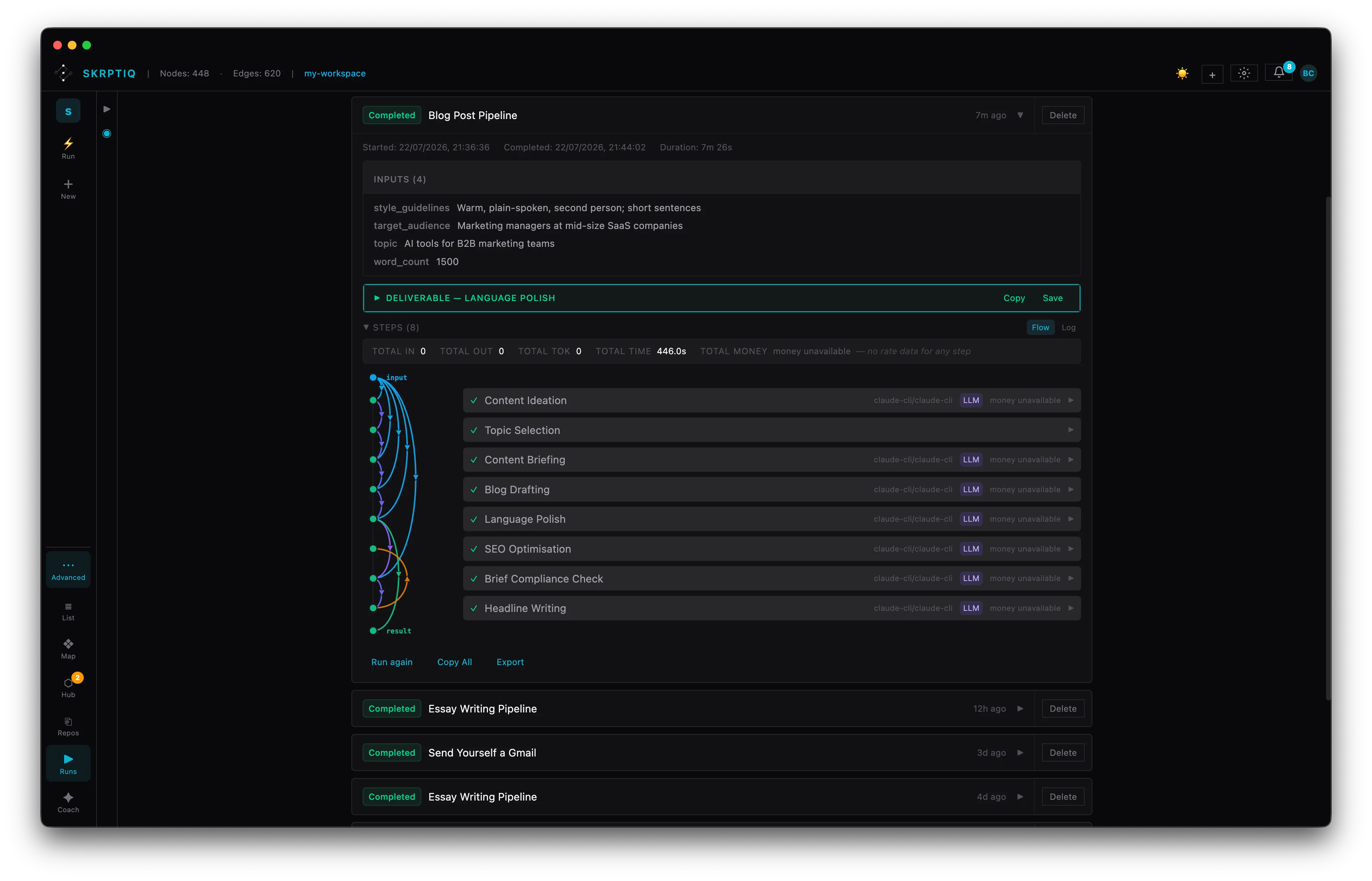
See the whole pipeline.
Every specialist step is laid out as a flow — ideation, briefing, drafting, headlines, polish, SEO, compliance. See the model each step uses, the data it passes on, and where an approval break pauses for you.
Step 3 — Content
Write, polish, offer options.
Specialists take turns — one drafts the post, another matches your voice and grammar strictness, and another generates headline options to choose from: direct, question, how-to, contrarian, each with a rationale.
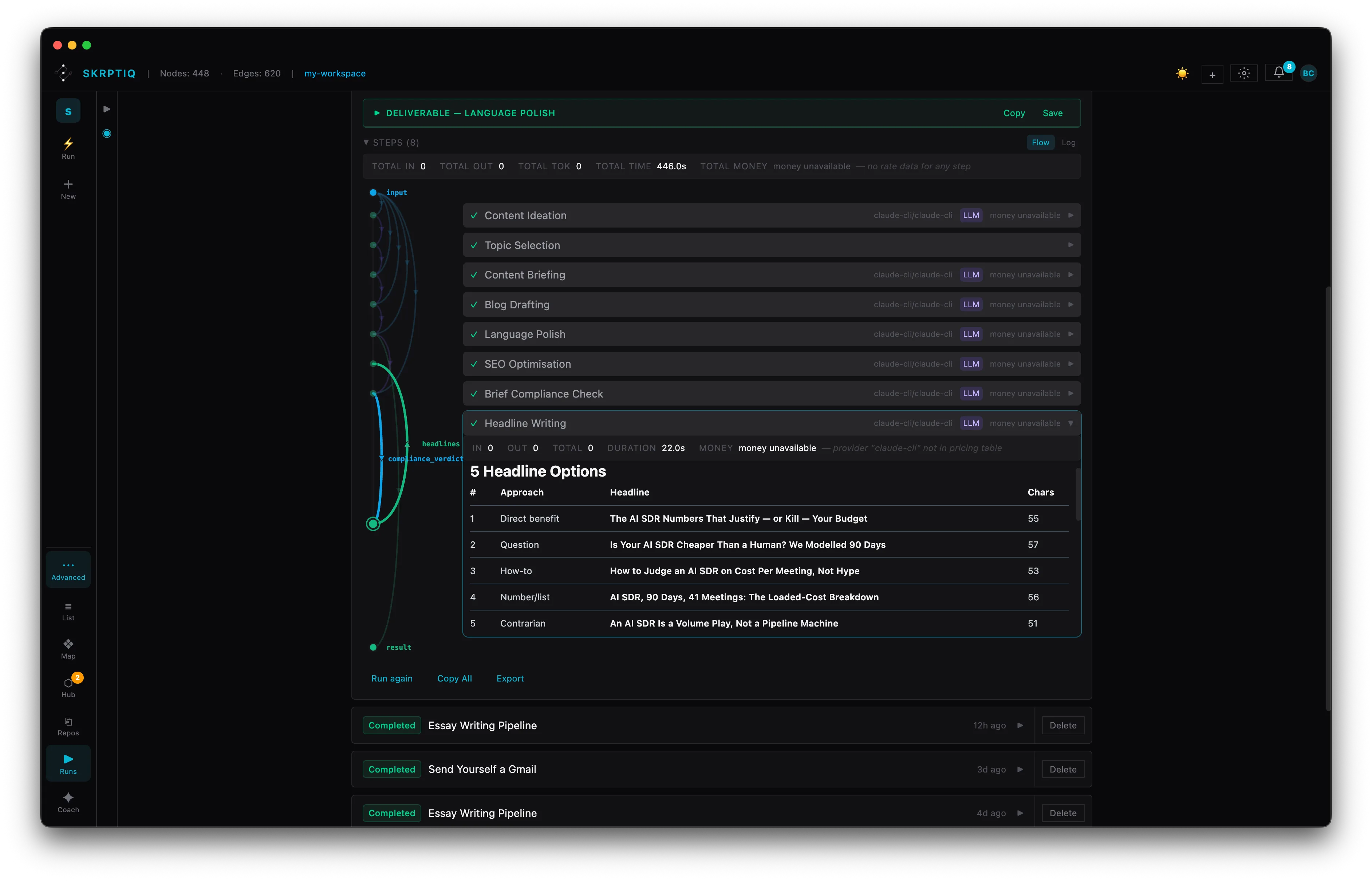
Step 4 — Checks
Score the work.
Dedicated review steps grade the output against the plan — an SEO pass rates on-page quality, a brief-compliance check confirms it matches the spec. Open any step to see exactly what it scored and why.
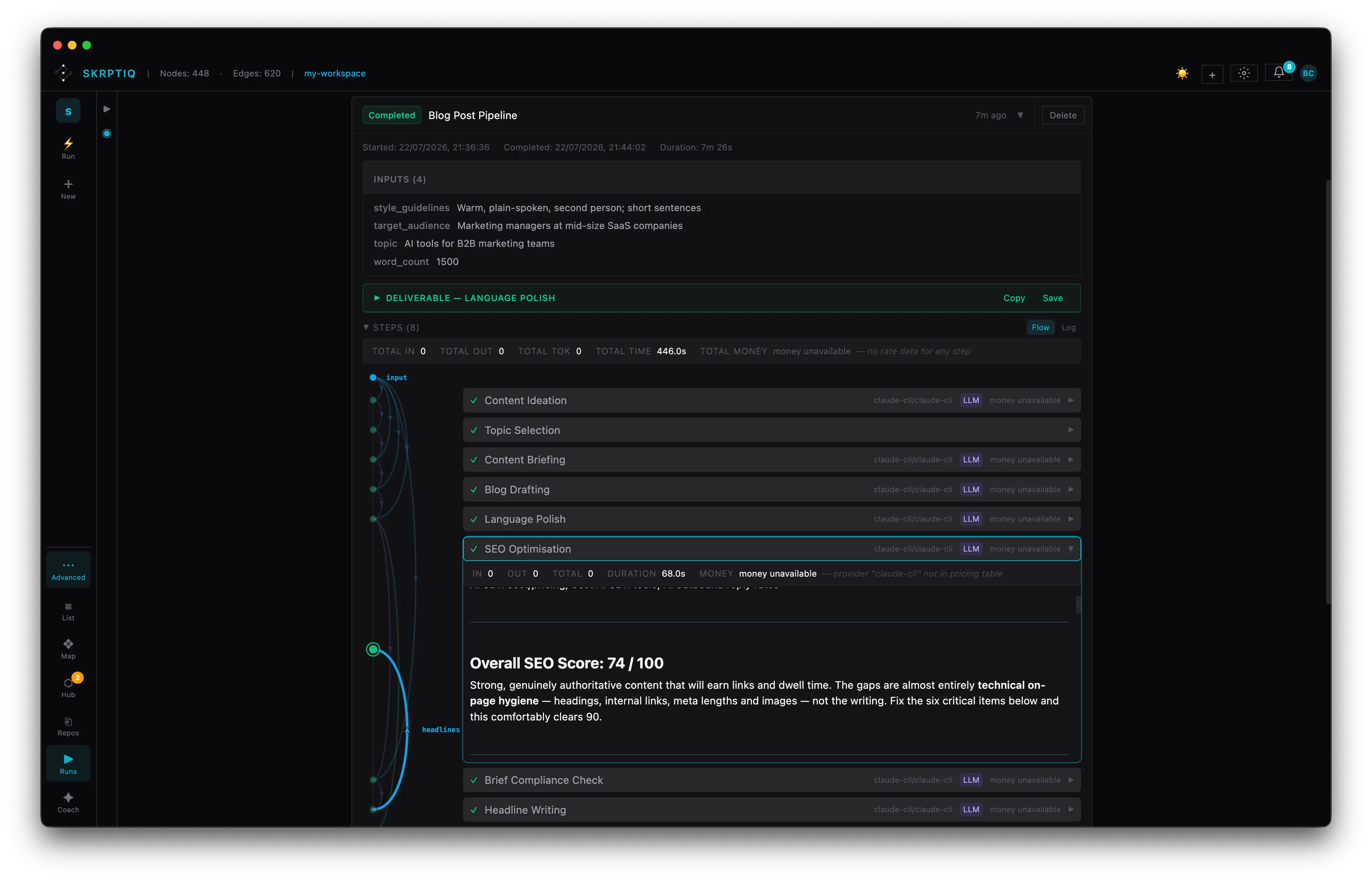
Step 5 — Output
Publish-ready, fully traced.
Every step is logged — which ran, which model, what it produced. The deliverable sits alongside the inputs that made it and the full chain of specialist steps, so you can trace any line back to its source.
↑ Back up · → next section
The operating layer
A personal operating layer, not a chat window.
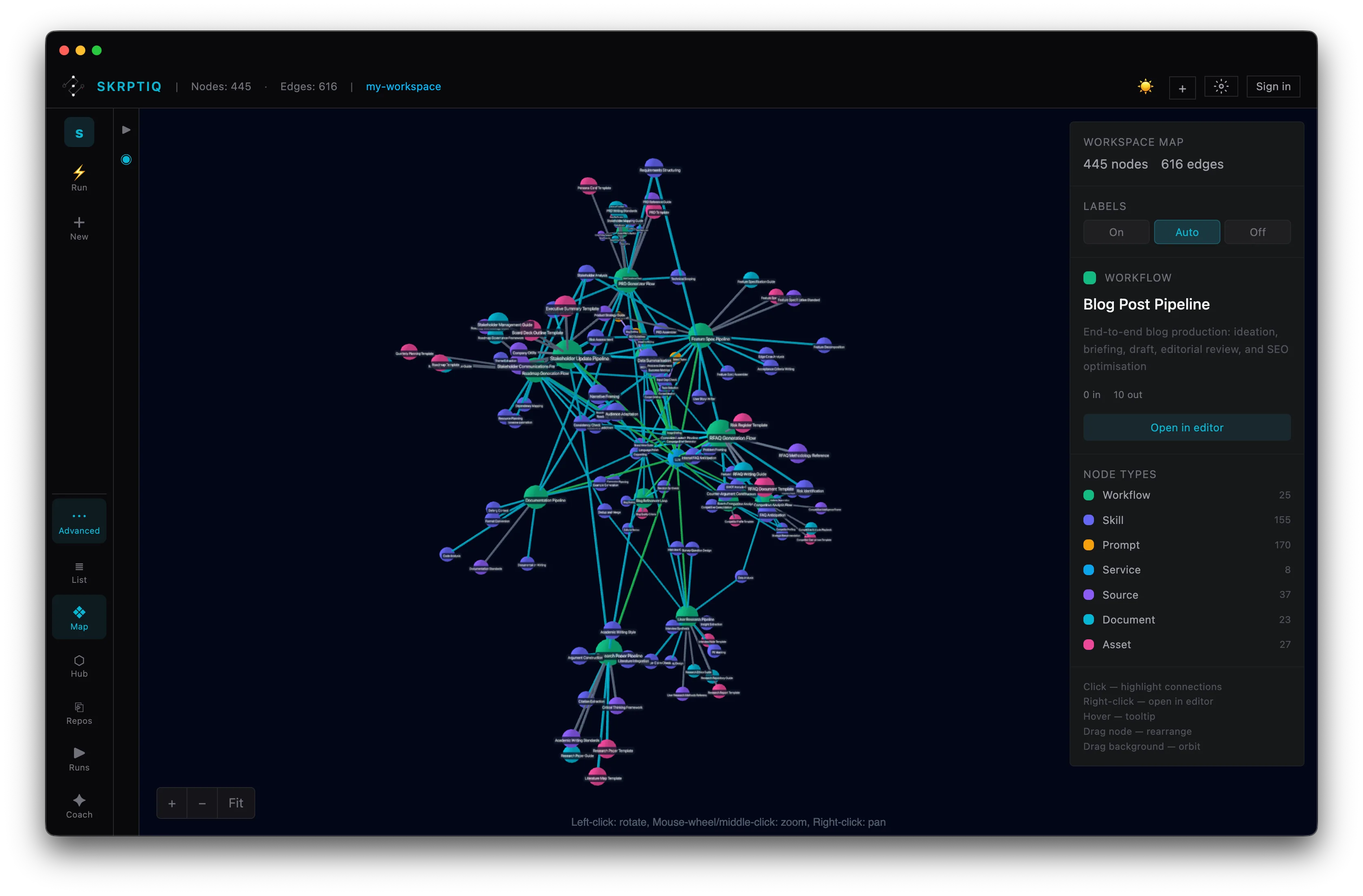
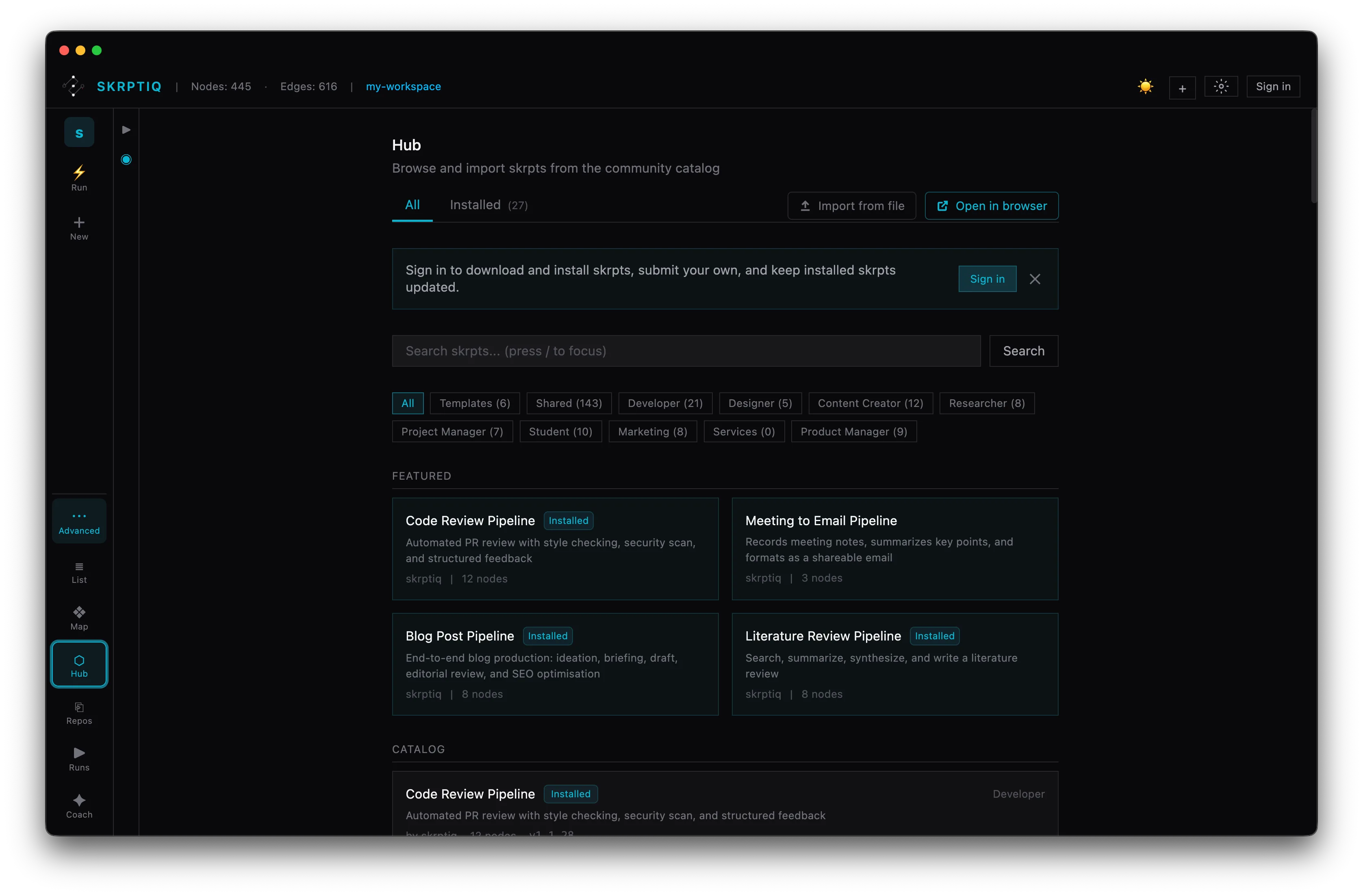
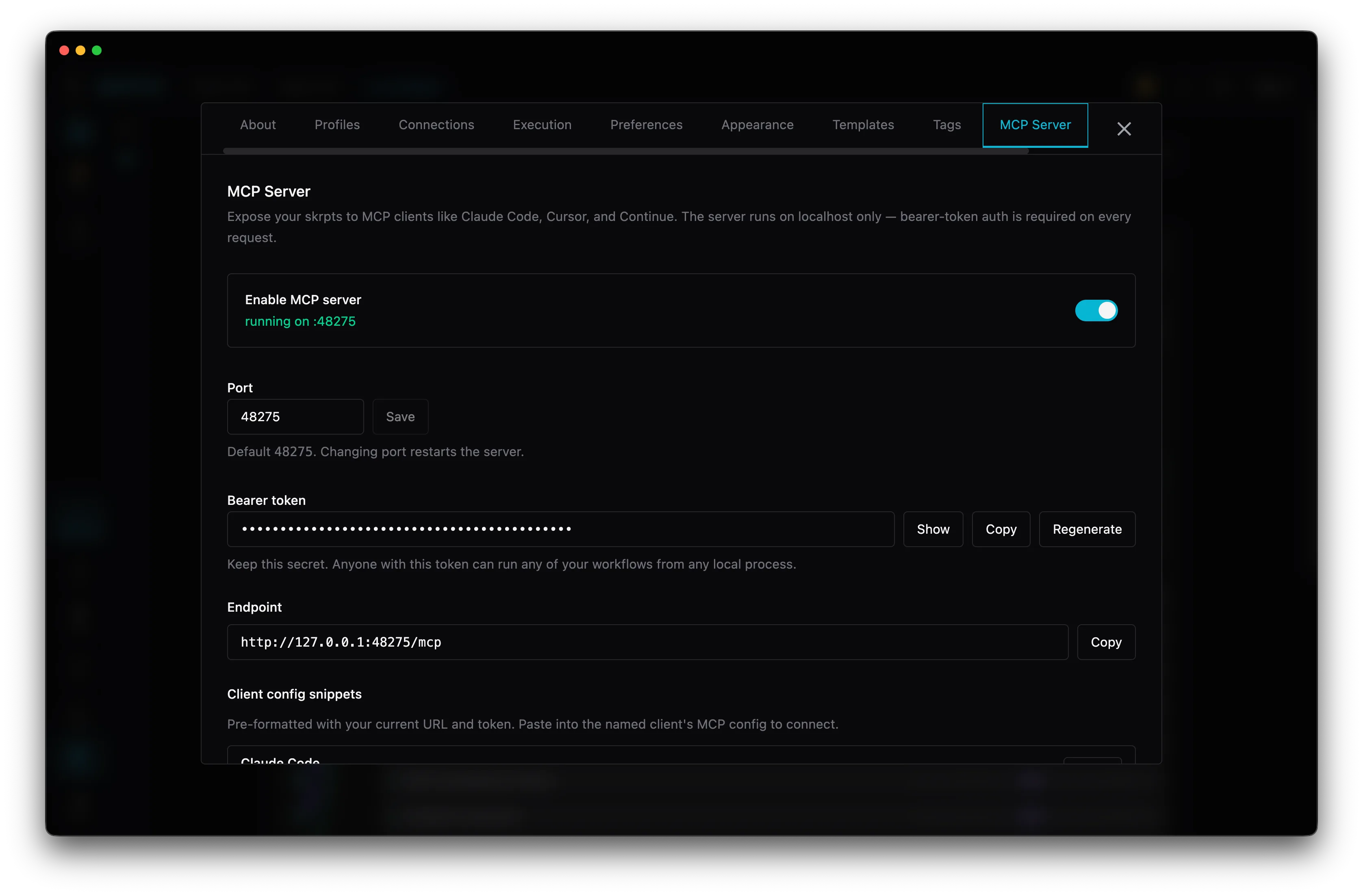
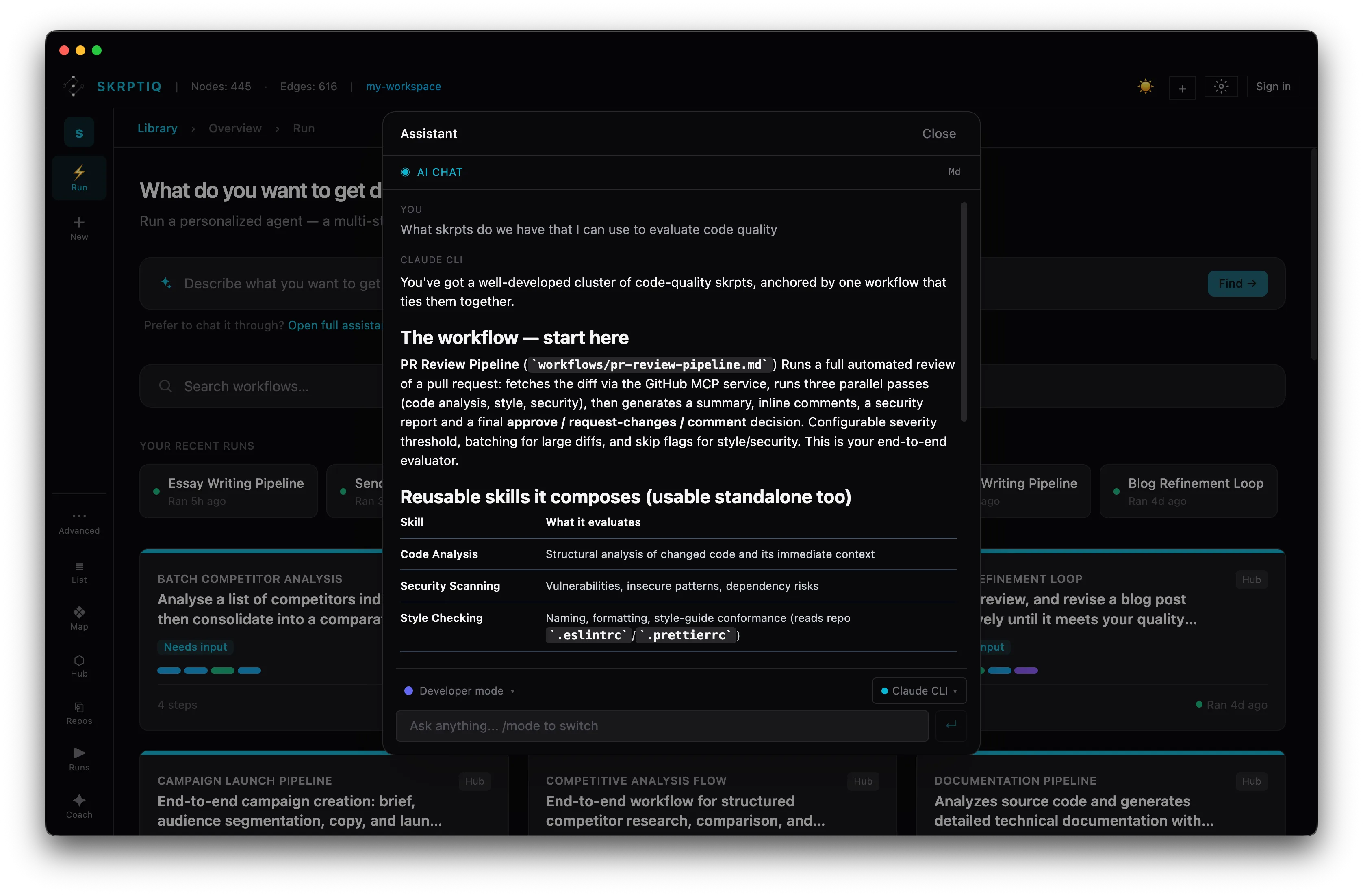
The run is the surface. Around it: a library you own, a catalog you can pull from, and connections into the tools you already use.
Get access
Get early access.
Skrptiq is a local-first desktop app, in beta and auto-updating. Register below and we'll send you a download link.
✓ Registered
You're on the list. We'll send a download link to your inbox for beta access.
✕ Not registered
Something went wrong. Please try again.
Platform status
Browser connector + Gmail, the run engine, builtins & object library. Signed and notarized.
Browser connector, the run engine, builtins & object library.
The run engine, builtins & object library.